








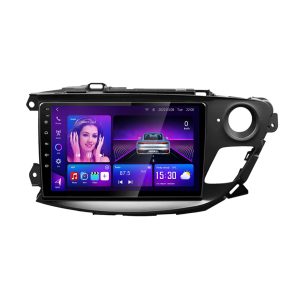
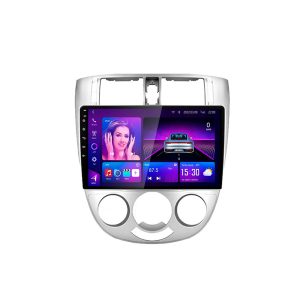
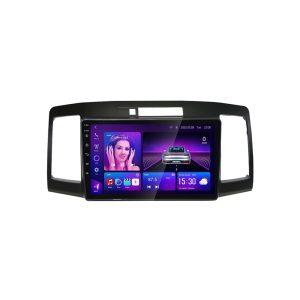
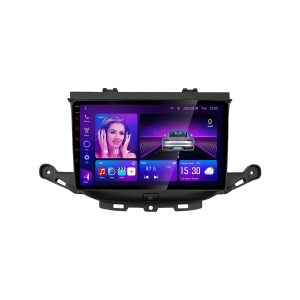
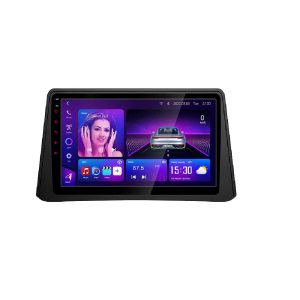


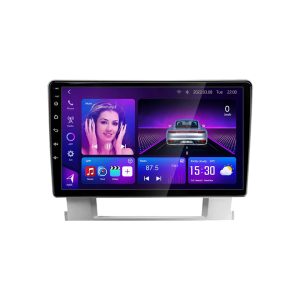
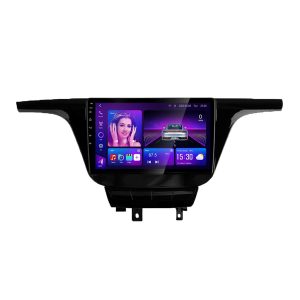
Description

What is CANBUS?
CANBUS (Controller Area Network Bus) is the in-vehicle network used by ECUs to exchange data. With a CANBUS-compatible Android head unit, vehicle signals can be read and shown on the screen, keeping OEM-style functions and interaction.

✅ What CANBUS enables
- Displays vehicle status: doors, A/C info, parking radar/trajectory, fuel/consumption (varies by model).
- Retains or learns steering-wheel buttons and certain OEM key logic.
- Manages ACC, illumination, reverse triggers for auto screen on/off and camera switching.
- Bi-directional with Android unit: adjust A/C or view car info on screen (supported models only).
⛔ What CANBUS does not do
- It doesn’t boost audio power or quality — that’s the amp/speakers’ job.
- It’s not “universal for all cars” — you need the correct protocol & harness.
- It doesn’t rewrite ECU logic — access is limited to the data your vehicle exposes.
| Interfaces & Power | Vehicle-specific harness to OEM plugs; ACC/BATT/GND/reverse/ILL, etc. Fiber/amp adapters on some trims. |
|---|---|
| Protocol Support | Loads the correct CAN protocol per vehicle to read A/C, doors, radar, steering keys, and more (where available). |
| Software Matching | Pre-loaded profiles; if functions differ, we can switch or update the protocol remotely. |
| Install Tip | Connect harness & CAN box → power-on test → then seat and fasten the unit; tidy wiring after verification. |
FAQ
Which functions will my vehicle support?
Functions vary by model and trim. Most vehicles support steering-wheel keys, door/reverse/radar triggers, and basic A/C display. High-trim features (OEM amp, 360 camera, seat heating, etc.) may need extra adapters and are not guaranteed unless specified.
Do I need coding after installation?
Usually no. Select your vehicle profile in the CAN settings; if the behavior is off, contact us to switch or update the protocol.
Will this work without a CANBUS box?
For base trims, the unit can run on standard ACC/BATT wiring, but you will lose OEM integrations (steering keys, A/C data, etc.). We recommend the CANBUS kit for the best OEM-like experience.
*Features depend on the vehicle’s CAN data. Please confirm compatibility with us before ordering.
With vs. Without CANBUS — What’s the Difference?
Use the guide below to judge whether your vehicle needs a CANBUS decoder. Not every car requires CANBUS — it depends on your wiring and OEM features.
If unsure, evaluate using the lists below or contact us to confirm before ordering.
When is a CANBUS Module Required?

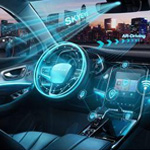

Tip: Share make/model/year/trim so we can ship the correct protocol box and harness.
When is a CANBUS Module Not Required?
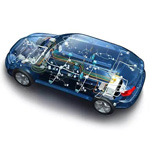



You can still install via standard wiring; OEM integrations will be limited.


About Us: Quality & Innovation

Who are we?
We are a Guangdong-based company founded in 2014, specializing in high-quality automotive electronics. We deliver Android car players, car cameras, and multimedia systems to global markets, with strong presence in South America (50%), North America (10%), Eastern Europe (10%), and other regions. Our experienced team builds cutting-edge solutions to enhance your driving experience.
How do we ensure quality?
Quality is core to our operations. We offer pre-production samples for approval, then perform comprehensive final inspections before shipment. All products—including Android head units and car cameras—carry a one-year warranty for reliability and satisfaction.
What products can you purchase from us?
We provide Android car players, dash cams, Android head units, custom Android frames, and multimedia systems—engineered for seamless integration with your vehicle’s systems.
Why choose us over other suppliers?
With 10+ years in design, development, and manufacturing, our factory delivers high-quality, reliable, and innovative products. Our consistent standards—from Android head units to multimedia solutions—make us a trusted partner worldwide.
What services do we provide?
We support FOB, EXW, DAP, and DDP deliveries; accept L/C, T/T, Western Union, and PayPal; and provide English-speaking support for international clients.
Shipping & Delivery FAQ

What shipping methods are available? How is the delivery time determined?
We offer sea freight, air freight, and local delivery. Sea freight suits large, cost-sensitive orders (≈20–30 days). Air freight is faster for urgent needs (≈7–10 days). Local delivery covers nearby regions (≈1–3 days). We recommend the best mode based on order size, location, and urgency. See our retail shipping policy and bulk order shipping policy.
What does the sea freight cost include? Who pays after the goods arrive at the port?
The sea freight price on our site covers costs up to the nearest port in your country (loading, transport, unloading). After arrival, fees such as customs clearance, storage, and import duties are the customer’s responsibility. Consult your local customs office for details. See our retail shipping policy.
Can I choose a specific courier? How do you select international services?
We choose carriers based on real-time service and cost to ensure timely delivery. If you prefer a specific courier, contact us for a live quote and we’ll adjust shipping accordingly. Learn more in our bulk order shipping policy.
What if issues occur in transit? How is shipping safety ensured?
We work with trusted logistics partners and use careful packing to reduce risk. If damage occurs, contact support immediately to file a claim; we’ll assist with documentation and resolution. See our retail shipping policy.
How do you guarantee timely local deliveries? What if there’s a delay?
Local deliveries are handled by vetted partners, with timelines confirmed at ordering. If unforeseen delays arise, we’ll notify you promptly and work to minimize impact. Details in our retail shipping policy.
Payment & Security FAQ

How will my payment information be handled? Is it secure?
Your payment information is processed securely with advanced encryption. You’ll receive immediate order confirmation via email and SMS for transparency. Learn more in our Privacy Policy.
Do you comply with international security standards? How is transaction data protected?
Yes. We apply encryption in transit and at rest and follow strict protocols to protect confidentiality and integrity throughout payment processing.
Will my personal information be protected? How is it used?
We keep your personal information strictly confidential and use it only for order processing and customer support. See our Privacy Policy.
What if I encounter issues during checkout? How do I contact support?
Reach us anytime via WhatsApp, Messenger, or email. The site’s quick chat button lets you contact us before or after purchase for real-time assistance.
How do you handle transaction disputes?
We investigate promptly and provide reasonable solutions to protect your rights. See our Retail Refund and Shipping Policy.
What is your refund policy?
We offer refunds under specific conditions with a clear process outlined on our website. Review details in our Retail Refund and Shipping Policy.
How can I confirm that my transaction was successful?
After successful payment, you’ll receive an email and SMS with order details and status. You can also log in to view your order history anytime.



Agus Setiawan –
Unitnya pas banget di dashboard (Presisi). Pemasangan lumayan mudah, socket to socket. Fitur Androidnya lancar, saya pakai buat Google Maps dan Spotify. Yang paling penting, kamera mundur gambarnya jadi jernih banget di layar besar ini. Seller responsif bantu soal kabel steering wheel.